Insights
Tracking the value and documentation status of your art collection
How Insights work in Artopia
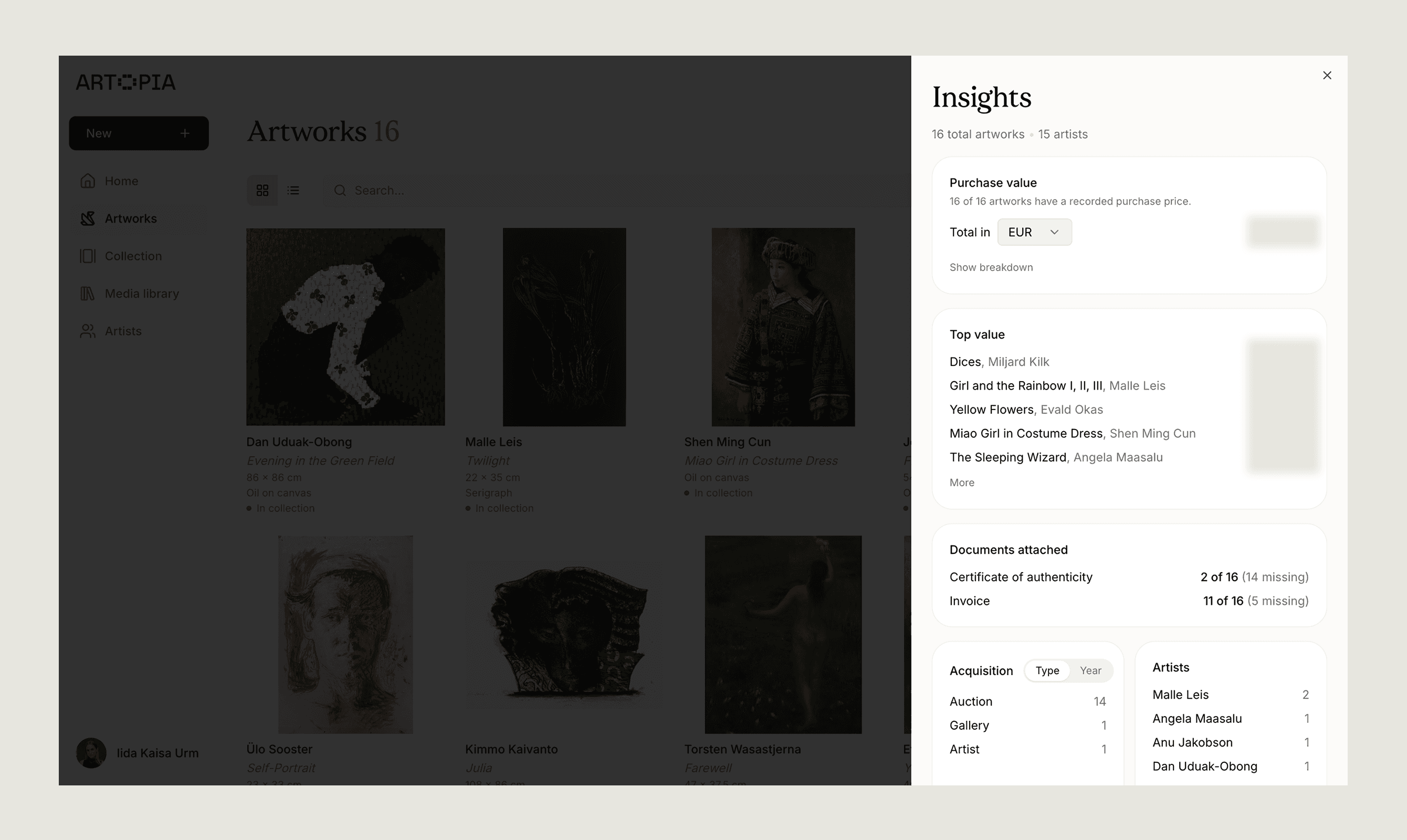
The Insights panel gives you a summary of your collection: total purchase value, your highest-value works, document coverage, and how your acquisitions break down by source and artist. It updates automatically as your collection grows.
Open Insights from the Artworks view using the Insights button in the top right corner. When filters are active, Insights reflects only the filtered artworks, so you can view a summary of any subset of your collection. Read more about filtering artworks.
Total purchase value
Insights totals the recorded purchase prices across your catalogue. If an artwork was purchased in a different currency, the price is automatically converted so the total reflects your preferred currency. You can change the display currency using the currency selector. Click Show breakdown to see the contribution of each individual work.
Only artworks with a purchase price on record are included in the total. The panel shows how many works have a price recorded and how many do not, so you can identify gaps. Purchase price is recorded on each individual artwork record.
Top value
The top value list ranks your artworks by purchase price, from highest to lowest. Click More to expand the list beyond the initial view.
Documents
The documents section shows how many artworks have a certificate of authenticity and an invoice on file. For each document type, you can see the number of works covered and the number still missing the document. Read more about documents.
Acquisition breakdown
The acquisition section shows how your collection was built. Switch between the Type tab, which breaks down acquisitions by source (auction, gallery, artist, and others), and the Year tab, which shows acquisitions over time. Acquisition data is recorded on each individual artwork record.
The artist list on the right shows how many works you hold per artist.
If you have any questions, reach out at app@art-opia.com