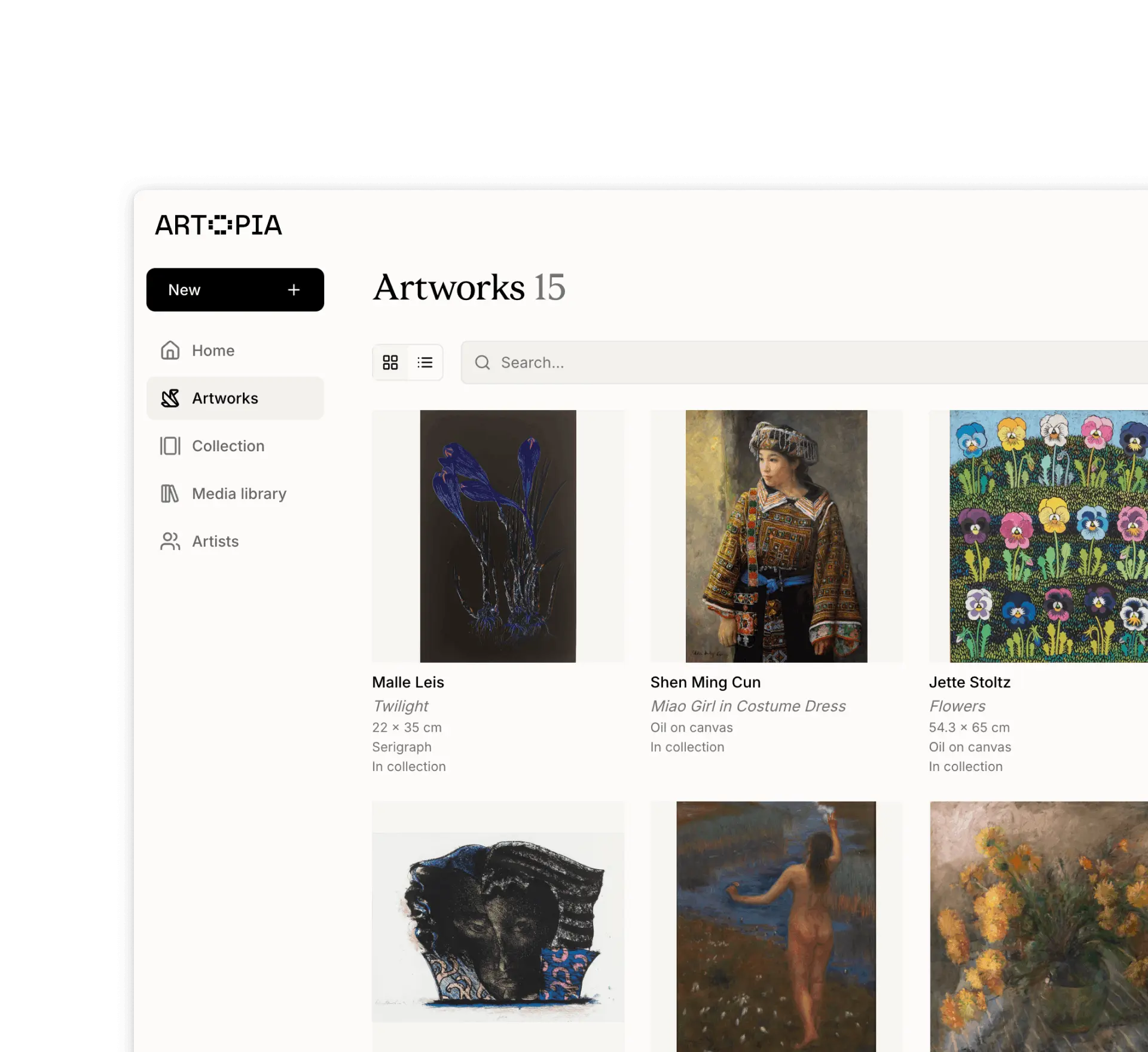
Importing data
Upload your art collection (via CSV, Sheets, Artlogic, Artwork Archive, Art Record)
Bring your existing collection records into Artopia.
If you have existing collection records elsewhere, we can help you bring them into Artopia. Whether you are working from a spreadsheet, a folder of images, or migrating from another tool, get in touch at app@art-opia.com and we will take a look and help you transfer everything.
What we can import from
Spreadsheets in CSV, Excel, or Google Sheets format
A folder of artwork images
Instagram
Any other collection management tool
Import your art collection via CSV or Excel
You can import artworks in bulk directly from a spreadsheet with no help needed. The import tool walks you through three steps: downloading the template, preparing your file, and uploading it.
To get started, click New in the side navigation panel and select Import artworks from the dropdown.
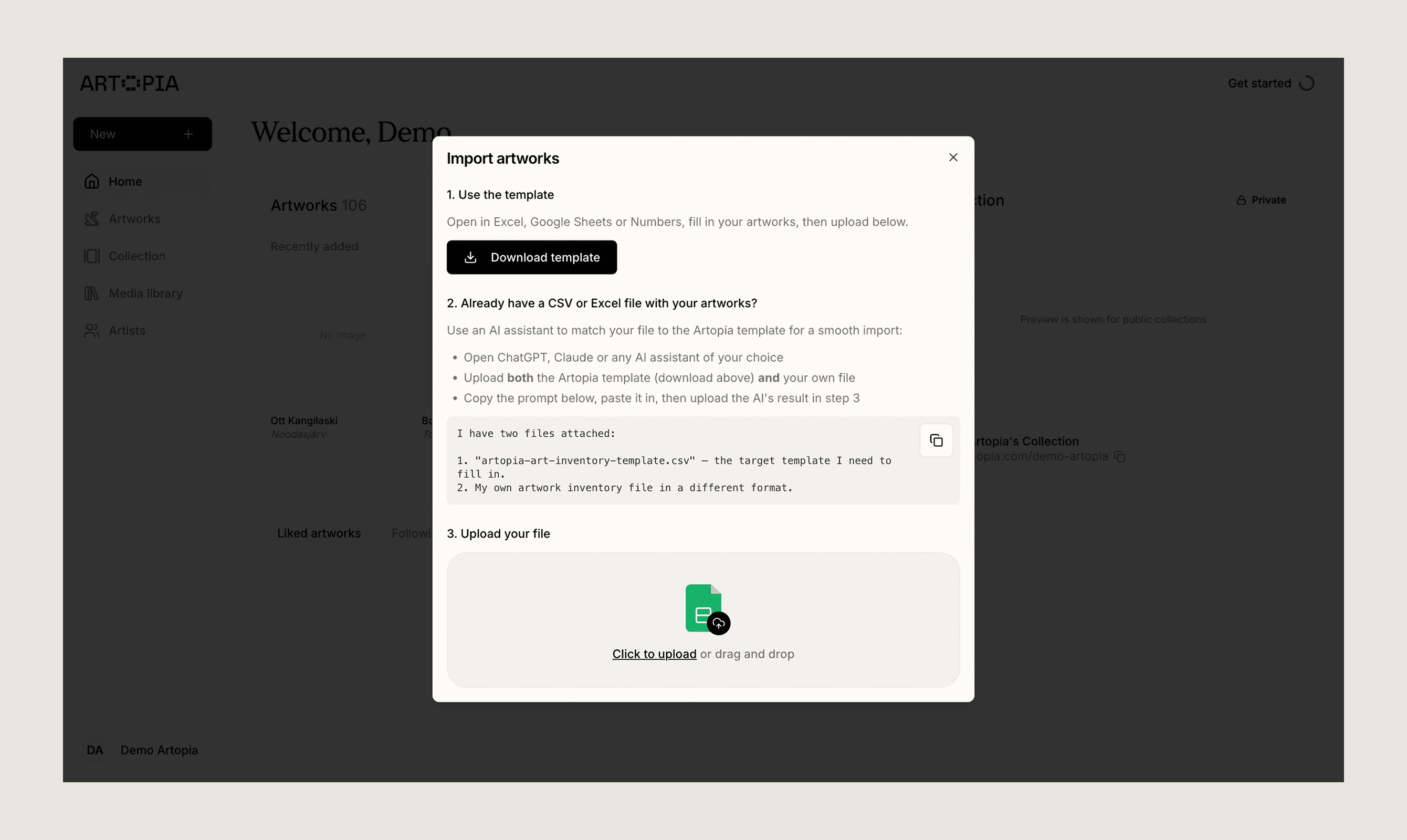
Step 1: Use the template
Download the Artopia CSV template from the import screen. Open it in Excel, Google Sheets, or Numbers and fill in your artworks. The template includes the following columns:
Artist, Title, Creation Date, Medium, Height, Width, Depth, Unit (e.g. cm or in), Purchase Price, Currency, Purchase Year
If you are starting fresh, fill in the template directly and skip to step 3.
Step 2: Already have a spreadsheet?
If your collection is already in a CSV or Excel file with different column names, use an AI assistant to reformat it to match the Artopia template.
Open ChatGPT, Claude, or any AI assistant
Upload both the Artopia template and your own file
Copy the prompt from the import screen (click the copy icon), paste it into the AI, and download the result
Use the reformatted file in step 3
Step 3: Upload your file
Upload your completed CSV or Excel file using the upload area — click to browse or drag and drop.
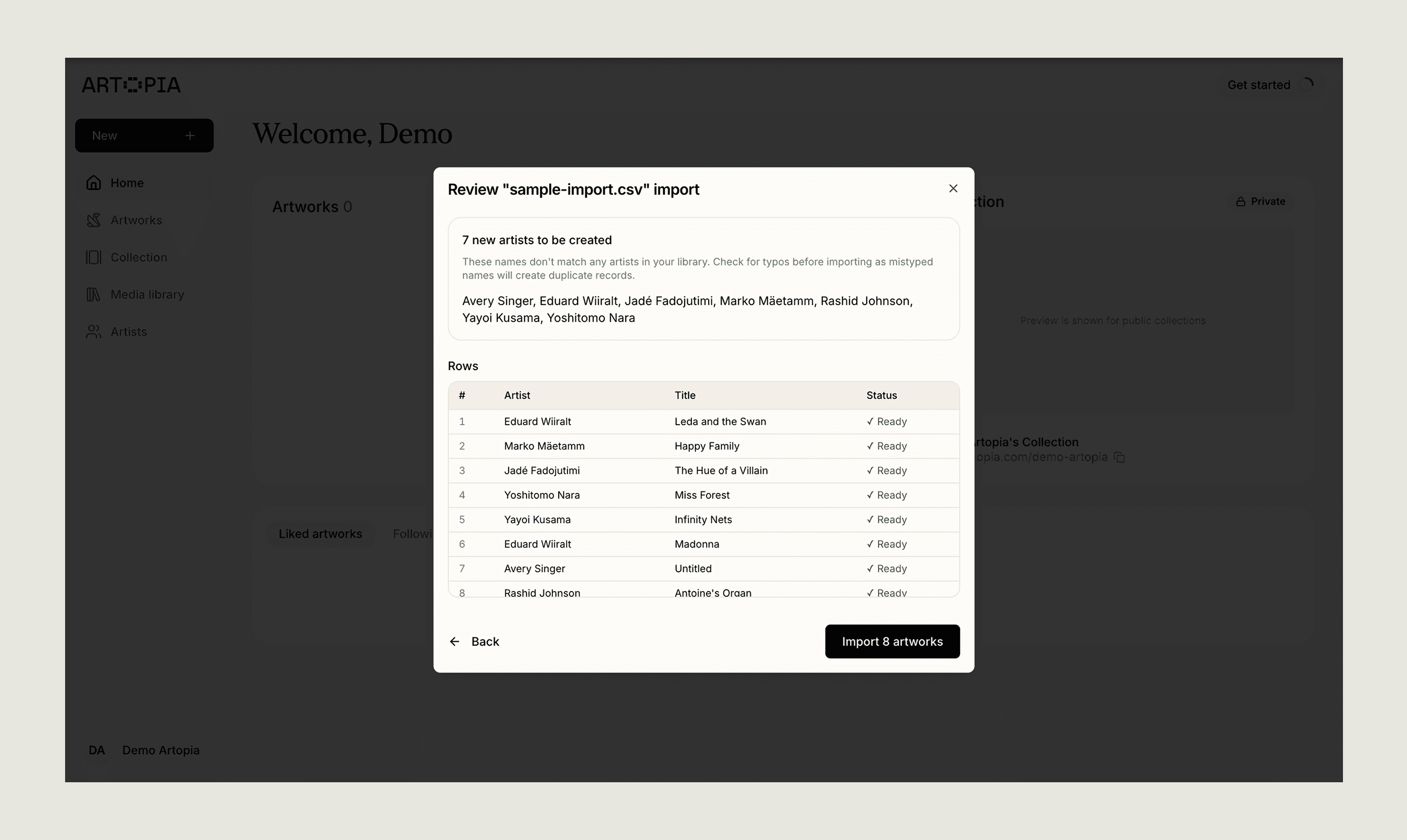
After uploading, Artopia will show you a preview of all detected rows with artist name, title, and import status. It will also flag any new artist names that do not match existing records in your library, so you can check for typos before confirming. Once everything looks right, click Import artworks.
Migrating from another tool
If you are moving to Artopia from another platform, we will help you migrate your records. Below are the tools we have experience importing from.
Artlogic
To get your data from Artlogic, go to your Artlogic account, then Artworks > Create… > Export… and choose a CSV export from the available options. Send us the file and we will handle the rest.
Artwork Archive
To export your data from Artwork Archive, go to Artworks > Pieces, select New Report, then Export to CSV. This will give you a CSV file with all your artwork data.
Art Record
To export your data from Art Record, visit the settings page and choose Download Entire Archive. After a day or so you will receive a ZIP file with all your data.
Other tools
Using a different tool? Get in touch and we will see what we can do.
If you have any questions, reach out at app@art-opia.com