Bulk actions
Edit, update, and manage multiple artworks at once
How to make changes across multiple artworks at once in Artopia.
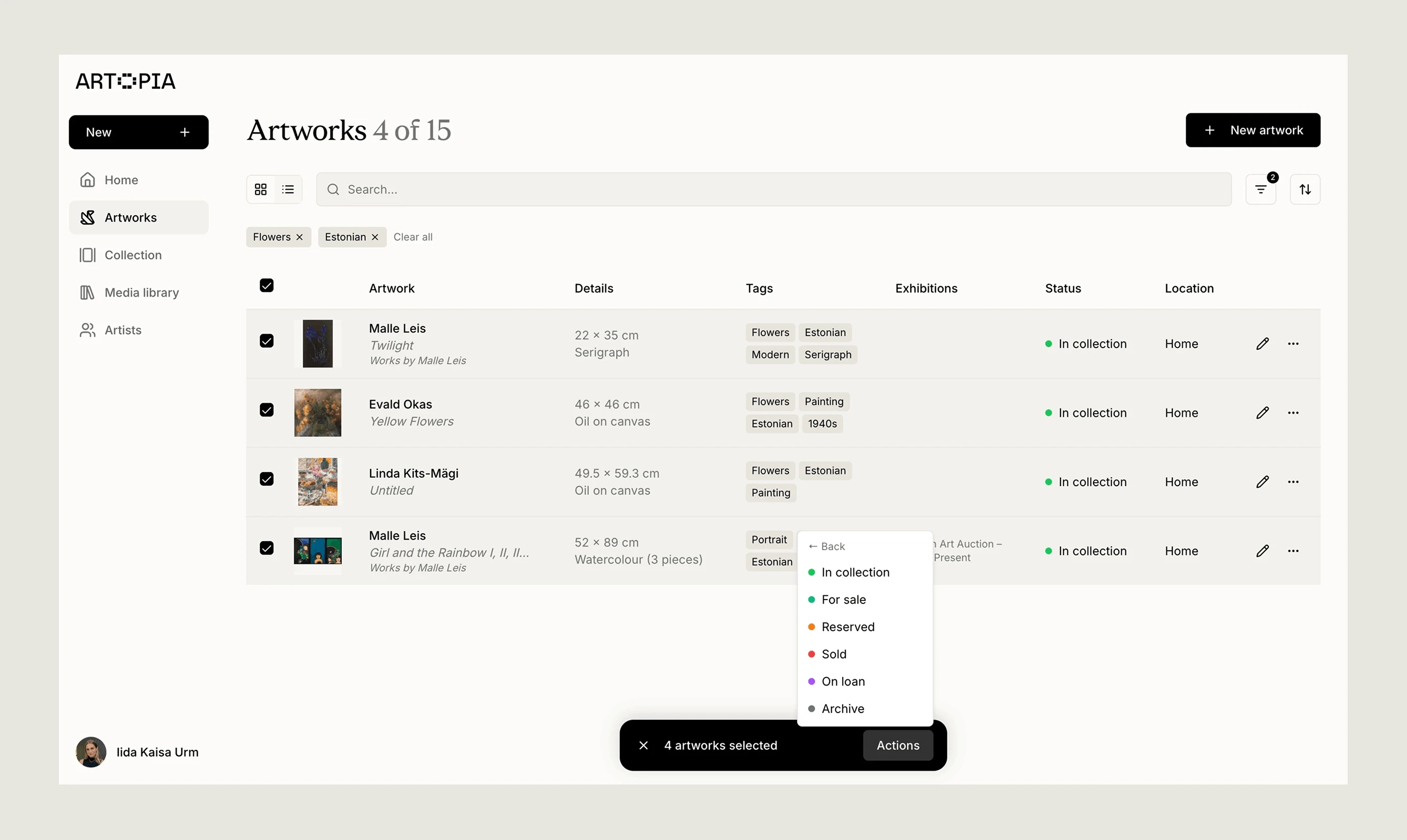
Bulk actions let you update multiple artworks at the same time, saving you from editing each record individually. They are especially useful when combined with filters. Filter your collection down to the artworks you want to update, then apply a change across all of them at once.
How to use bulk actions
Select artworks by clicking the checkbox next to each artwork, or use the checkbox at the top of the list to select all. Once one or more artworks are selected, an Actions button appears at the bottom of the screen.
Available bulk actions
Series: Assign or remove a series across all selected artworks.
Tags: Apply or remove tags across all selected artworks.
Status: Update the status of all selected artworks at once.
Location: Update the location of all selected artworks at once.
Using bulk actions with filters
For example, to mark all works by a specific artist as For sale, filter by that artist, select all results, and use the Actions menu to update the status in one step. Read more about filtering
If you have any questions, reach out at app@art-opia.com