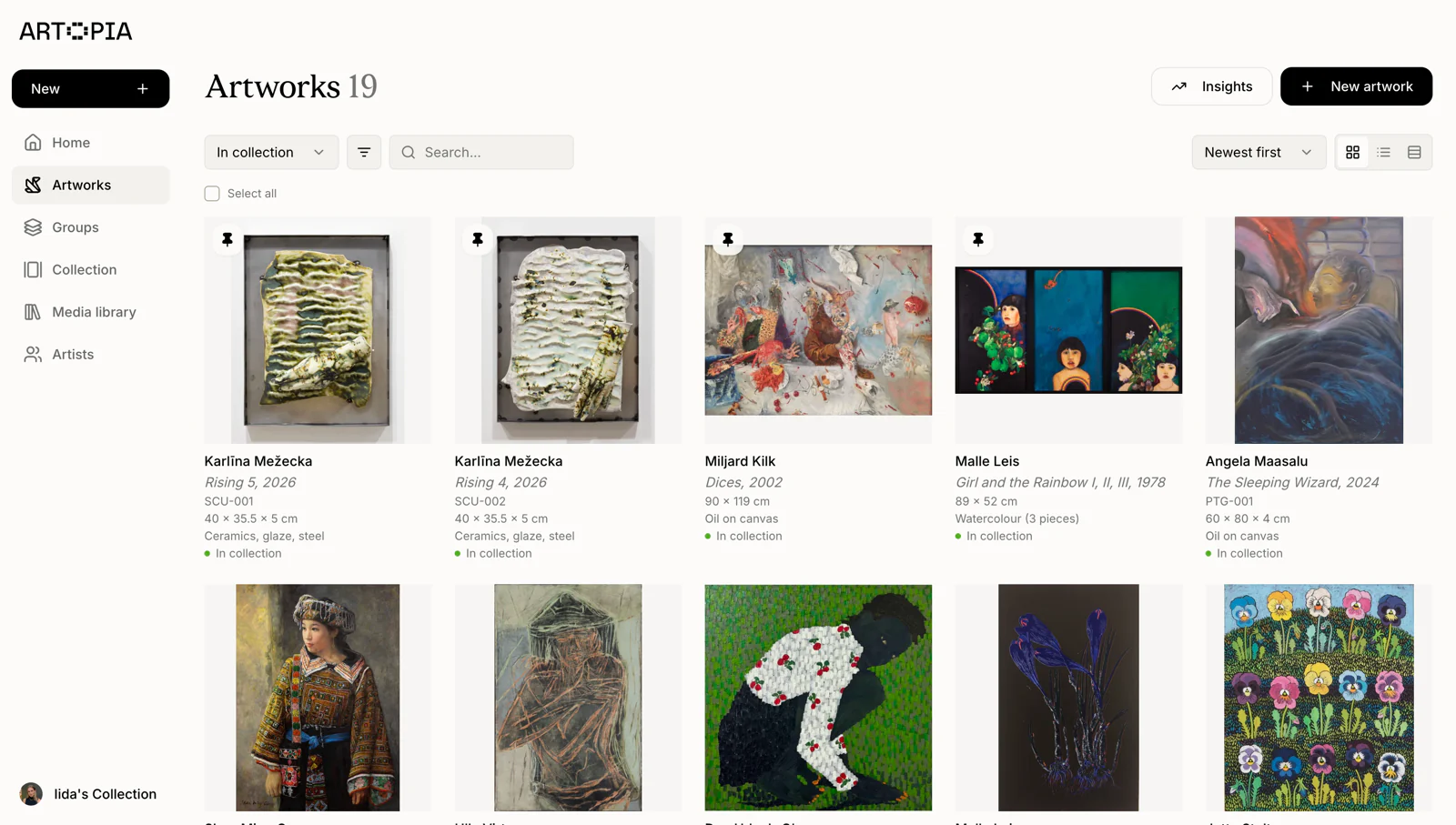
Many collectors use a numbering system to keep their records organised. It is how you cross-reference a work on a condition report, match a physical label to a storage rack, or find a specific piece quickly in a long list. As a collection grows, referring to artworks only by title and artist can become slow and error-prone.
That said, inventory numbering is entirely optional in Artopia. If you are just starting out, you do not need to use it at all. It is there when your collection reaches a point where a bit more structure is useful, and it is straightforward to add to existing records whenever that moment comes.
Artopia's inventory numbering feature lets you assign each artwork a stable internal ID that stays consistent across your records, PDFs, and physical labels. This article explains how it works and how to set it up in a way that will hold up over time.
What an inventory number is
Every artwork in Artopia can be given an inventory number made up of two optional parts: a prefix and a number.
The prefix is a short text label, typically two to four characters, that groups artworks by category. The number is a three-digit identifier that increments from 001. Together they display as PREFIX-001, for example PTG-001 for the first painting, or DRW-007 for the seventh drawing. If you use only a number without a prefix, the artwork displays as 001. Prefixes on their own are not shown.
Both parts are optional, so you can number artworks with or without prefixes, or leave individual works unnumbered if you prefer.
Why inventory numbers matter for art collection management
The main value is speed and precision. When every artwork has a stable ID, you can:
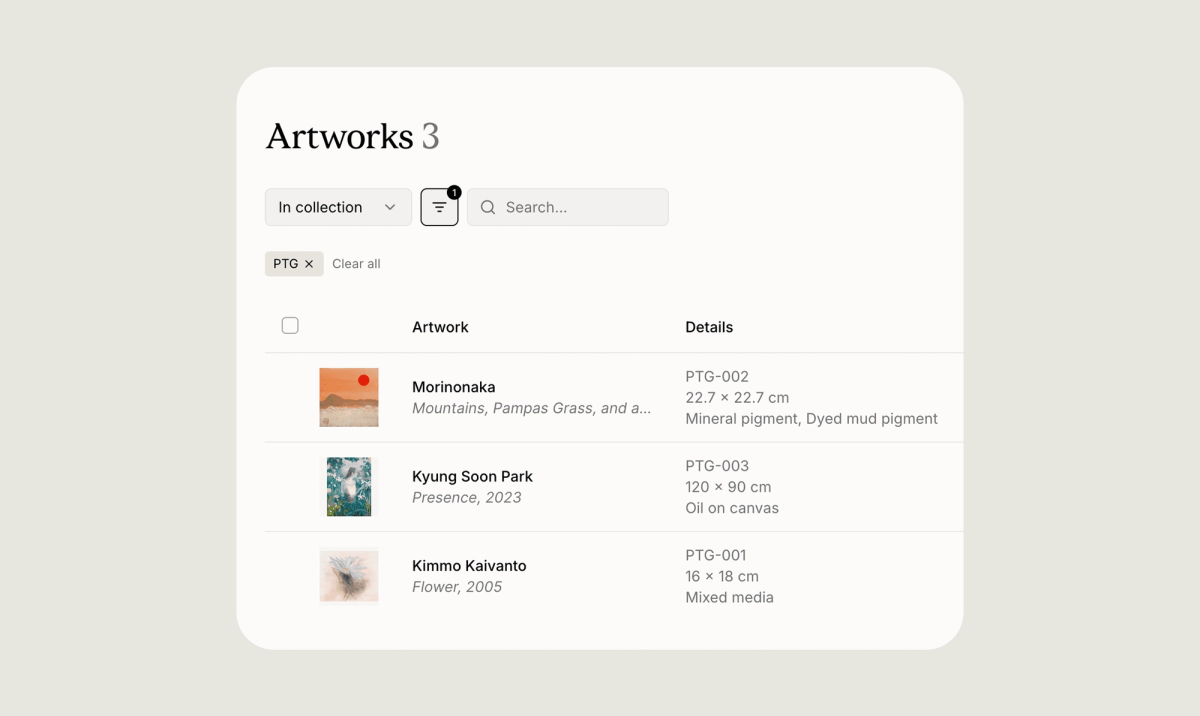
Find any work instantly by filtering the artworks list by prefix or number, rather than scrolling through titles or searching by artist. Reference a specific work clearly on a condition report, invoice, or loan agreement, without ambiguity. Match digital records to physical labels. If a label on a stretcher bar reads PTG-012, you can pull up that record in seconds. Have PDFs and exports show the inventory number alongside the other artwork details, so documents shared with galleries or insurers are unambiguous.
How to add a number to an artwork
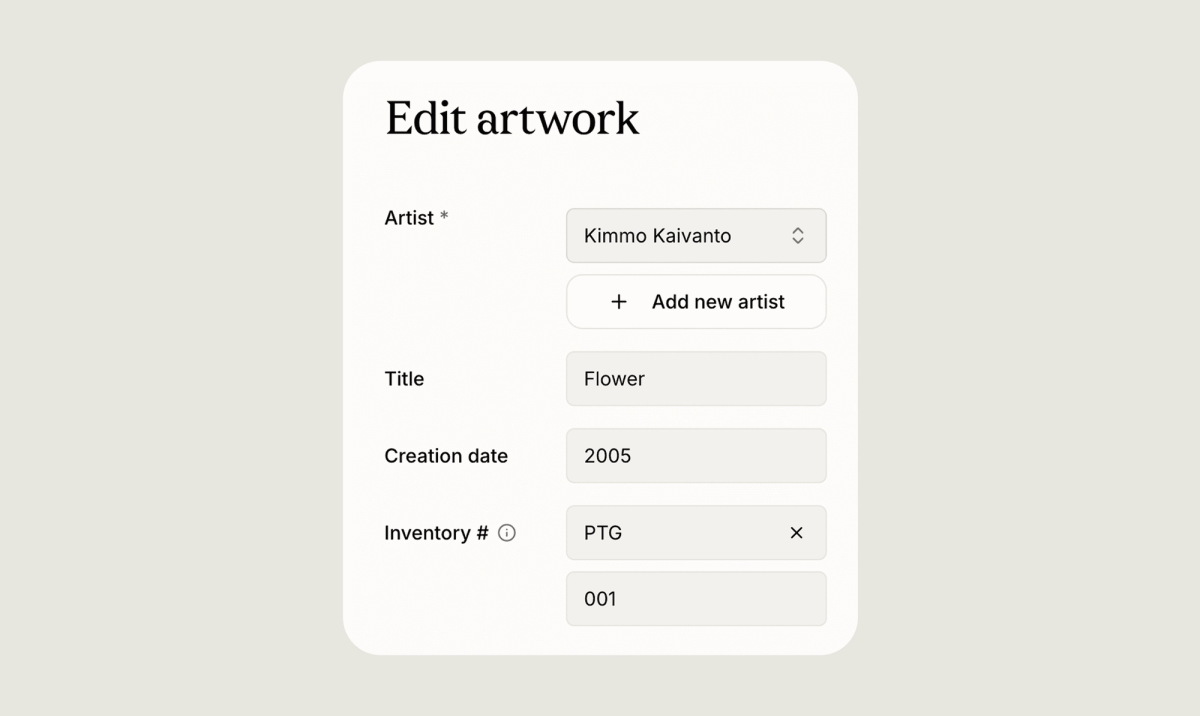
Open any artwork record and find the Inventory field. It has two parts side by side: a prefix selector and a number field.
To use a prefix, click the prefix selector and either choose one you have used before or type a new one. Once you select or create a prefix, Artopia automatically suggests the next available number for that prefix in your collection, starting from 001 on first use. You can accept the suggestion or type your own number instead.
If you prefer not to use prefixes, leave the prefix selector empty and type a number directly into the number field.
Choosing a prefix scheme
The scheme you choose should reflect how you naturally think about your collection. A few common approaches:
By medium works well for collections that span different types of work. PTG for paintings, DRW for drawings, SCU for sculpture, PHT for photography, PRT for prints, and MIX for mixed media are widely used conventions. By artist initials is useful if your collection is organised around specific artists, with JD for Jane Doe or RB for Rudolf Bonvie, for example. By acquisition year is straightforward and audit-friendly, using 2024 or 2025 as the prefix so every work acquired that year groups together. By location or storage works well for large collections spread across multiple sites or storage facilities.
Prefixes are set per collection in Artopia, so if you manage more than one collection, each can have its own numbering scheme without the two interfering.
A few practical tips: keep prefixes short, two to four characters in uppercase, so they are easy to write on a label. Decide on your scheme before you start numbering, since renaming a prefix later is possible but means updating your physical labels too. And write the inventory number on the physical label or certificate of authenticity so your records and the object itself always match.
How auto-numbering works
When you select a prefix, Artopia looks at all the artworks already using that prefix in your collection and suggests the next number in sequence. If PTG-001 through PTG-006 already exist, it will suggest PTG-007. If you are using a prefix for the first time, it starts at 001.
Numbers display with leading zeros up to three digits, so the sequence runs 001, 002, through 042, 128, and so on. If a number exceeds three digits, it simply keeps its full length.
You are not required to accept the suggested number. If you want to assign a specific number, type it directly. Artopia will flag it if that number is already in use within the same prefix in your collection, but saving is still allowed, which is intentional for cases like re-issuing a label after a cataloguing correction.
Renaming and deleting prefixes
If you need to change a prefix across your whole collection, open the prefix selector on any artwork and choose the option to rename. Artopia updates every artwork using that prefix automatically, so you do not need to go through them one by one.
Deleting a prefix removes it from all artworks that were using it and clears it from the suggestions list. The numbers on those artworks are kept, so the records are not lost, only the prefix label is removed.
What happens when an artwork is transferred
When you transfer an artwork to another Artopia user, the inventory number does not carry across. The recipient's copy of the work arrives without a number, so they can assign it a place in their own numbering system. This is intentional: an inventory number is meaningful within a specific collection, and what is PTG-004 in your catalogue may belong somewhere completely different in someone else's.
Getting your art inventory numbered
The inventory numbering feature is most useful when applied consistently across a whole collection, but you do not need to number every artwork at once. If you are just starting to collect, you can begin numbering from your first acquisition and build the habit early. If you are working through an existing collection, you can go artwork by artwork and assign numbers over time. Either way, the system will be there when you need it and out of the way when you do not.
The artwork records guide covers all the fields available on each record if you want a full overview of what else can be documented alongside the inventory number.