Most collectors manage their collection privately. But there are moments when sharing it with a dealer, an advisor, an insurer, or simply someone who asked is exactly what you need to do. A public collection page makes that possible without any friction.
Artopia gives every collector a personal, shareable URL:
app.art-opia.com/[yourname]
You control what appears on it, and you can make your collection public or keep it private at any time.
What is a public art collection page
A public collection page is a dedicated, web-accessible view of your art collection. It is not a social media post or a PDF attachment. It is a permanent link that anyone can open in a browser and see your collection exactly as you have catalogued it: artwork titles, images, artists, mediums, and any other details you have chosen to display.
Your Artopia collection page lives at a fixed URL tied to your name. That means you can share the same link in an email, add it to your Instagram bio, or hand it to an art advisor, and it always reflects the current state of your collection.
Why collectors share their collections online
Dealing with galleries and advisors. When a gallery asks what you already own, or an advisor wants to understand your taste before making recommendations, walking them through a spreadsheet or a folder of JPEGs is slow and looks amateurish. A collection URL gives them everything they need in one place. They can scroll through your works, see the artists and mediums, and get a clear picture of your collection in minutes.
Insurance and appraisal. Insurers and appraisers occasionally need an overview of your holdings. A link to your public page supplements a formal policy document and speeds up conversations about coverage gaps or upcoming valuations. For a full guide to coverage and documentation, see art insurance for private collectors.
Loans and exhibitions. If an institution or curator expresses interest in one of your works, having your collection visible online makes it easier to be found and to respond quickly. A clean, professional page signals that you take your collection seriously. Lenders typically also need a condition report for each work before agreeing to a loan.
Sharing with family. For collectors who are thinking about long-term planning, a shareable collection record that family members can access is a practical starting point. It is not a legal document, but it gives the people close to you a clear picture of what exists and what matters.
The personal side. A well-presented collection page is also just satisfying to have. Collecting is a considered activity. A public portfolio reflects that. It is a record of decisions made over time, presented in a format that does justice to the works.
What your Artopia collection page shows
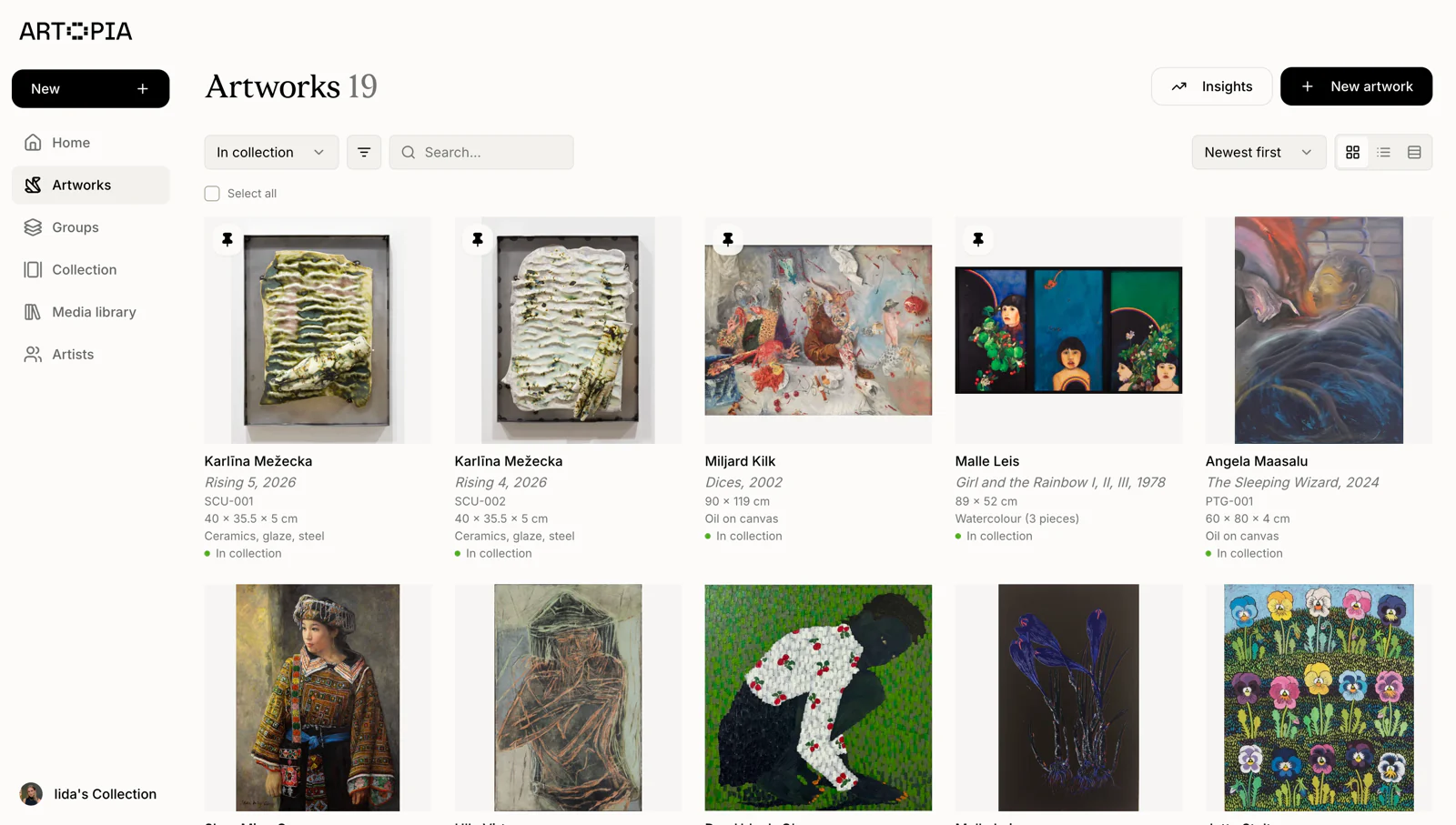
Your public page shows the artworks you have added to Artopia along with the details you have filled in: artist name, title, year, medium, dimensions, and any images you have attached. You choose what is visible. If you want to keep certain works off the public page, or keep your collection entirely private, that is always an option. Each artwork record can also hold provenance documentation, which stays private even when your page is public.
The page is designed to be clean and easy to navigate. It works on desktop and mobile, which matters when someone is viewing it casually rather than sitting at a desk.
How to make your collection public in Artopia
You can switch your collection between public and private from your account settings. When your collection is set to public, your personal URL is live and accessible to anyone who has the link. When it is set to private, the link is inactive and your collection is not visible to anyone outside your account. For step-by-step instructions, see the public collection guide in the Artopia help centre.
There is no middle state that requires someone to request access or create an account to view your page. If you share the link, the recipient can open it without any extra steps.
Using your collection URL
Once your page is live, the most practical places to share it are:
In your email signature or bio. A simple "View my collection: app.art-opia.com/[yourname]" gives anyone you correspond with easy access without you having to send files or set up a meeting.
On Instagram or other platforms. Collectors who share acquisition posts or commentary on works they follow often find that adding a link to their full collection generates genuine interest. It is a natural extension of the conversation already happening on those platforms.
Directly to a dealer or advisor. Rather than preparing a separate document, you can forward your URL in a message and let the page do the work.
In your own records. Having a URL that represents your collection is useful even if you rarely share it publicly. It is a live summary you can revisit and use whenever you need it.
Keeping your collection current
The main advantage of a web-based collection page over a PDF or a static document is that it updates automatically. When you add a new acquisition to Artopia, it appears on your public page. When you update a record, the page reflects the change. You do not need to re-export or re-send anything.
This is the practical reason to keep your collection records in Artopia rather than a spreadsheet: a spreadsheet cannot be shared as a living document. Your Artopia page can. For a fuller comparison, see art collection management: spreadsheet vs. software.
Frequently asked questions
What is a public art collection page?
A public art collection page is a web-accessible link where others can view your catalogued artworks. It shows the works you have added to your collection management account along with the details and images you have chosen to make visible.
Can I share my art collection online without creating a website?
Yes. Artopia gives you a personal collection URL at app.art-opia.com/[yourname] without requiring you to build or maintain a separate website. Your page is generated automatically from your collection records.
Who can see my public art collection page?
Anyone with the link can view it. Many collectors use it only when speaking with galleries, advisors, or insurers, rather than sharing it broadly. You can also switch your collection to private at any time to deactivate the link.
What information appears on a public collection page?
This depends on what you have entered in Artopia and what you have chosen to display. Typically it includes artwork images, artist names, titles, years, and mediums. Sensitive details like acquisition prices are not shown publicly.
Can I use my collection URL in my Instagram bio?
Yes. Adding a link like app.art-opia.com/[yourname] to your Instagram bio or a post is a straightforward way to give followers a fuller picture of your collection.
Artopia is art collection management software built for private collectors. It gives you a clean, structured way to catalog your collection, with a personal URL to share it when you want to. You can try Artopia free at app.art-opia.com/signup.