The first thing a gallery director, art advisor, or fellow collector sees when they open your public collection is not your taste, your provenance, or your acquisition history. It is a photograph.
A good image is taken at face value. A poor one is too, regardless of what is actually on the wall. The work might be significant, the documentation thorough, but if the photograph is dark or crooked or taken in a rush with the flash on, the impression is already made.
You do not need to hire a professional photographer. A modern phone camera and a bit of preparation are enough. You need to know what you are aiming for, and to slow down enough to get there.
Why your collection images matter
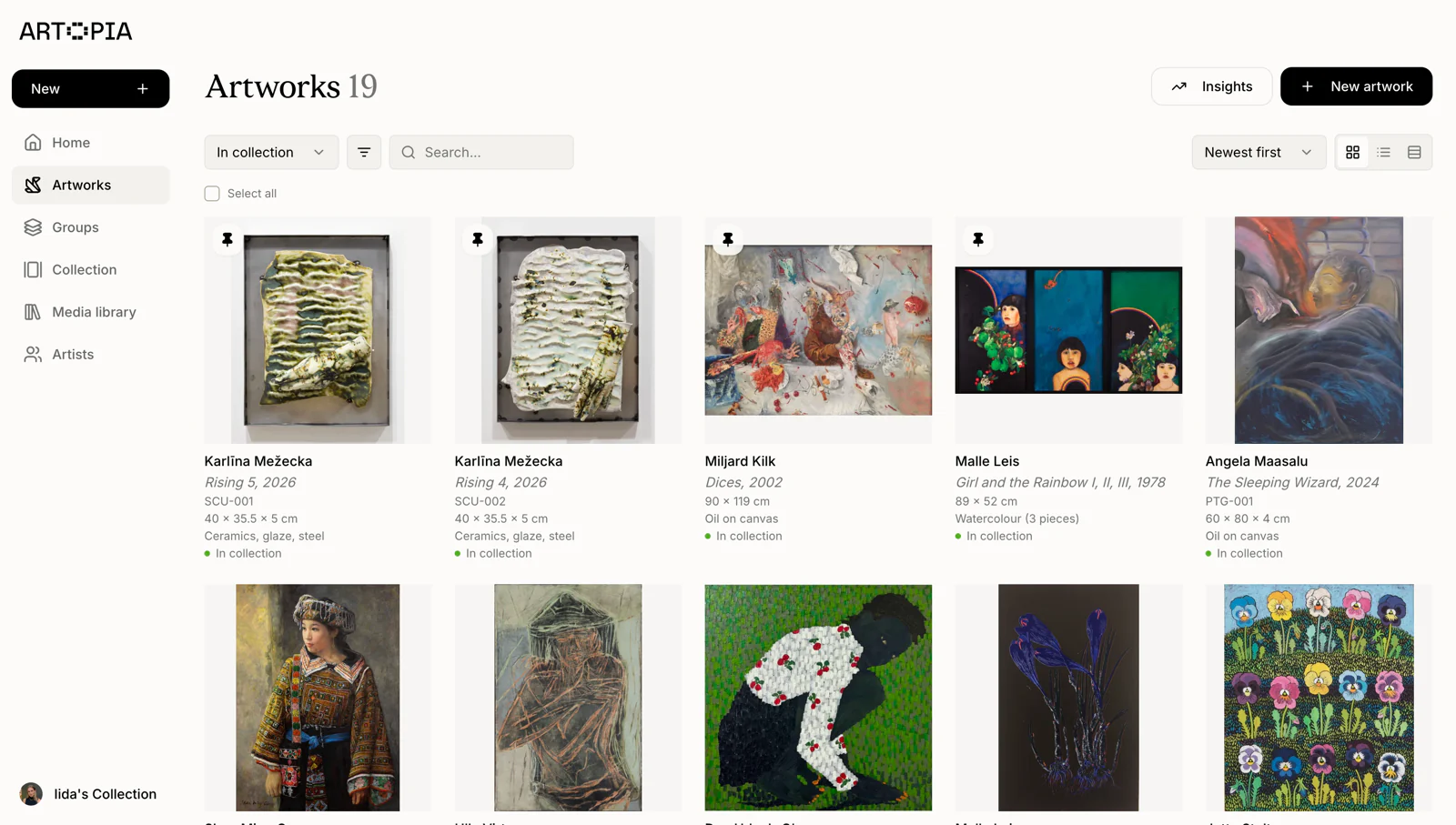
Your public collection page on Artopia is how the world sees your holdings. Galleries considering a loan request will look at it. Art advisors working with collectors will browse it to understand what you already own and what to recommend next. For those audiences, the image is the collection.
Art professionals are used to looking at work in reproduction. They know how to read a photograph for quality, proportion, and condition. A well-lit, accurately scaled image communicates that you take good care of what you own. It also gives people the information they need to say yes. An advisor recommending a loan to an institution needs to see the actual surface quality of a piece, not a phone snapshot taken at arm's length.
Consistent images make a collection feel like a cohesive body of holdings. Inconsistent ones make it feel scattered. The difference is not in the works themselves. It is in how they are presented.
Before you pick up your phone
Good artwork photography starts before you take a single image.
Choose the right light. Natural daylight is your best light source, and indirect is ideal. A bright overcast sky, or a room flooded with light from a north-facing window, works well. Avoid direct sunlight falling on the work, as it creates harsh shadows and washes out surface texture.
Turn off artificial lights. Mixing natural and artificial light creates colour casts that are difficult to correct afterwards. If you rely entirely on artificial light, use daylight-balanced bulbs positioned symmetrically on either side of the work to minimise shadow.
Clear the frame. Before shooting, check what surrounds the work. A power socket, a light switch, a partially visible chair: these details do not read as background. They read as noise. A clean wall keeps attention on the work.
Remove the glass where possible. For framed works under glass, the glass will reflect light back into the lens and create bright patches. If you can safely remove it for the photograph, do so. If not, position yourself and your light source so the angle of reflection falls outside the frame.
The primary image
Every artwork in Artopia has a primary image, the one that appears as the thumbnail across the platform and leads your public collection view. This is the image most people will see most often.
The goal is a clean, accurately proportioned, well-lit shot of the full work, photographed straight-on.
Align your camera parallel to the work. The most common error in DIY artwork photography is shooting at a slight angle, which creates a trapezoidal distortion where the work appears wider at one end than the other. Stand directly in front of the piece, at the same height as its centre, and hold your phone level. Most phone cameras have a grid function, and it is worth turning on.
Fill the frame without cropping the work. Move close enough that the artwork fills most of the image, but leave a small even border on all four sides. This confirms nothing has been cut off and gives the image room without requiring the viewer to hunt for the edges.
Use portrait orientation for tall works, landscape for wide ones. Let the proportions of the work determine how you hold the phone, not the other way around.
Do not use digital zoom. Move physically closer instead. Digital zoom degrades image quality in ways that are immediately visible.
Tap to focus on the work. Most phone cameras will focus on whatever you tap on the screen. Tap the centre of the artwork to ensure it is sharp.
The shots that complete your artwork record
A strong primary image is the minimum. A complete photographic record for each artwork includes a few additional views that carry real practical value when the collection is shared with professionals.
Verso shot. The back of a work often holds more information than the front. Stamps, labels, stretcher markings, inscriptions, gallery stickers, auction lot numbers: these details matter for provenance and authentication. Photograph the verso with the same care as the front, under even light, showing any markings legibly.
Signature detail. If the work is signed, crop in tightly and photograph it separately. A clear signature shot is useful whenever questions of authenticity arise.
Condition details. If there are areas of damage, repair, or unusual surface characteristics, photograph them specifically. A wide shot cannot document these usefully. These images are not for public display. They belong in the artwork record for insurance, condition reporting, and loan documentation, and they are worth capturing while you are set up.
Installation shot. A photograph of the work hanging in your home communicates scale in a way an isolated image cannot. It also gives advisors and galleries a sense of how you live with the work. These work well alongside primary images on your public collection page, not in place of them.
All of these image types can be uploaded directly to each artwork record in Artopia. The platform supports multiple images per work, and you can manage everything from the media library, which keeps all images linked to their artwork records and searchable by title or filename.
A few technical things worth knowing
Turn the flash off. Always. Flash creates bright patches, washes out colour, and bounces off glass and varnish.
Shoot at the highest resolution available. Artopia can store high-resolution images, and a larger file gives you more flexibility if you need to crop or correct later.
Use the camera app that came with your phone. The built-in camera on iPhone or Android produces higher-quality images than shooting through Instagram, WhatsApp, or any other app. Take the photo first, then share it wherever you need to.
Correct exposure manually if needed. If your phone is overexposing a bright work or underexposing a dark one, most camera apps let you adjust by tapping and dragging. A well-exposed image shows the full tonal range of the work without blowing out highlights or losing shadow detail.
Editing
A small amount of editing improves almost every artwork photograph. But there is a point at which editing starts working against accuracy, and for documentation purposes accuracy is the goal.
Straighten the image if the work is slightly rotated in the frame. Adjust white balance if there is a warm or cool cast from the light source. Correct exposure lightly if the image is too dark or too bright. That is enough.
Do not over-saturate, filter, or dramatically crop. Artwork photography for documentation is not the same as photography for social media. An image that makes colours look more vivid than they are is not a useful record.
Putting it together on your Artopia profile
Once you have good images, how you use them determines how effectively they do their job.
The public collection feature in Artopia lets you choose which works are shown and in what order. A focused selection of well-documented, well-photographed works is more effective than an exhaustive but uneven display.
Set your primary image with care. The image that works best as a thumbnail is usually the clean full-face documentation shot, unambiguous, well-lit, filling the frame. Installation shots can be added as additional images to give context, but they tend to work less well as thumbnails because the surrounding room competes with the work for attention.
Keep the full record complete behind the scenes. Condition images, verso shots, and document scans all belong in the artwork record and documents section, even if they are not displayed publicly. When a gallery requests a condition report before a loan, or an insurer asks for documentation of a specific work, having everything already attached to the record makes the response immediate rather than laboured.
Getting your collection into shape
Good artwork photography is not about technical expertise. It is about intention. Good light, a parallel camera position, a clean wall, the flash turned off: these are within reach of anyone with a modern phone and a few minutes to spare.
If your collection images are inconsistent or incomplete, work through the records one by one, applying the same approach to each. The records you build in Artopia, covering images, documents, conditions, and provenance, are what make your collection legible to everyone who needs to understand it.