
April brought two substantial additions to Artopia. The updates focused on how collectors understand their inventory at a glance and how they generate documentation in bulk. Here is what is new.
Insights panel on the Artworks page
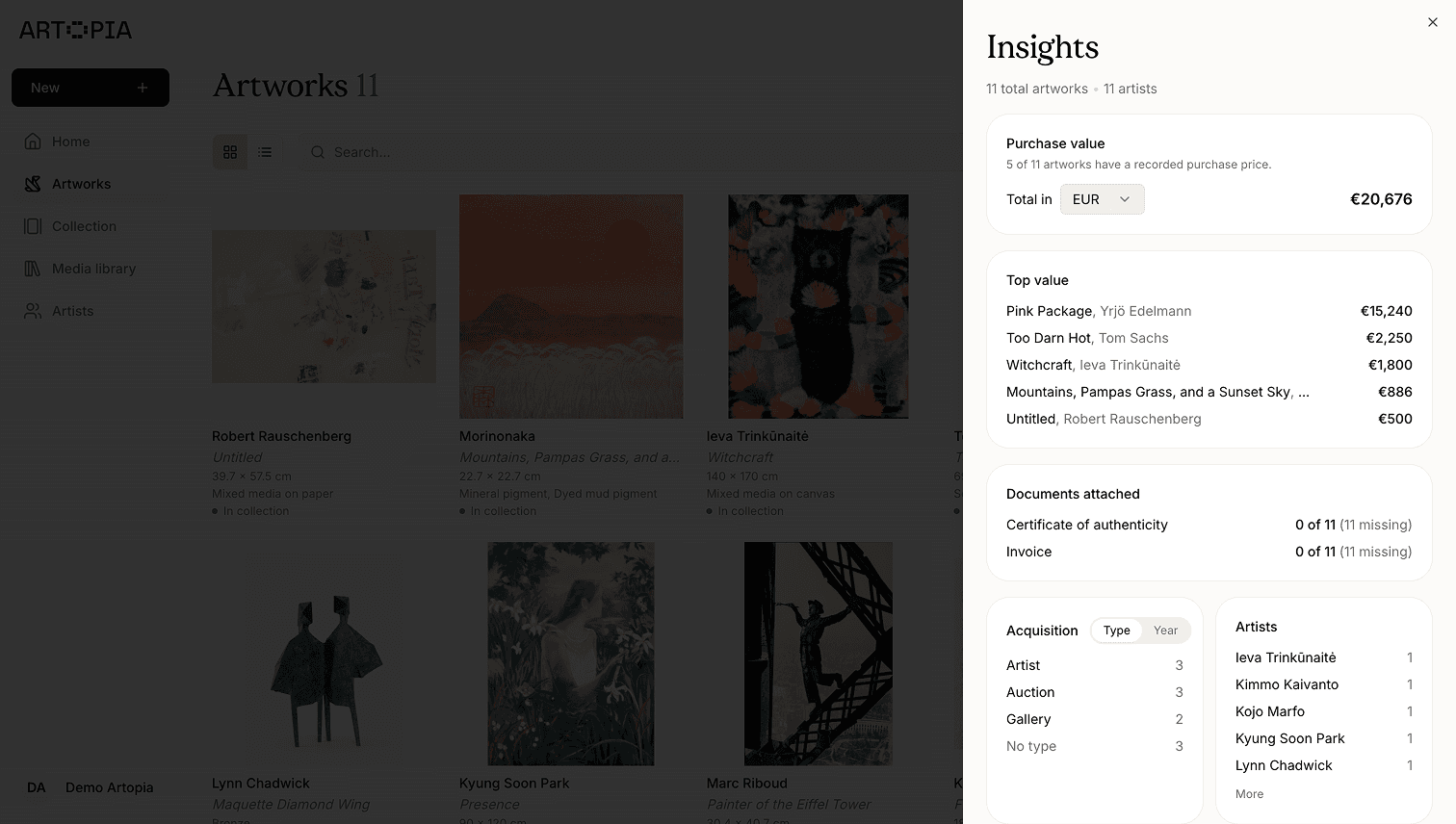
The Artworks page now has a dedicated Insights side panel that turns your inventory into at-a-glance statistics. The panel reads your active filters, so the numbers always reflect the slice of the collection you are looking at rather than the full inventory.
The panel shows a count of total artworks and artists, purchase value with multi-currency conversion and a converted grand total, and a top artists list showing the five most-represented artists by default. Clicking "More" reveals the next five.
There is also an acquisitions breakdown with a year and type toggle and a bar-chart layout, and a Documents section showing how many works have certificates and invoices attached. Clicking the "N missing" link filters the artwork list to exactly those works, so you can work through any gaps without hunting manually.
Bulk PDF export
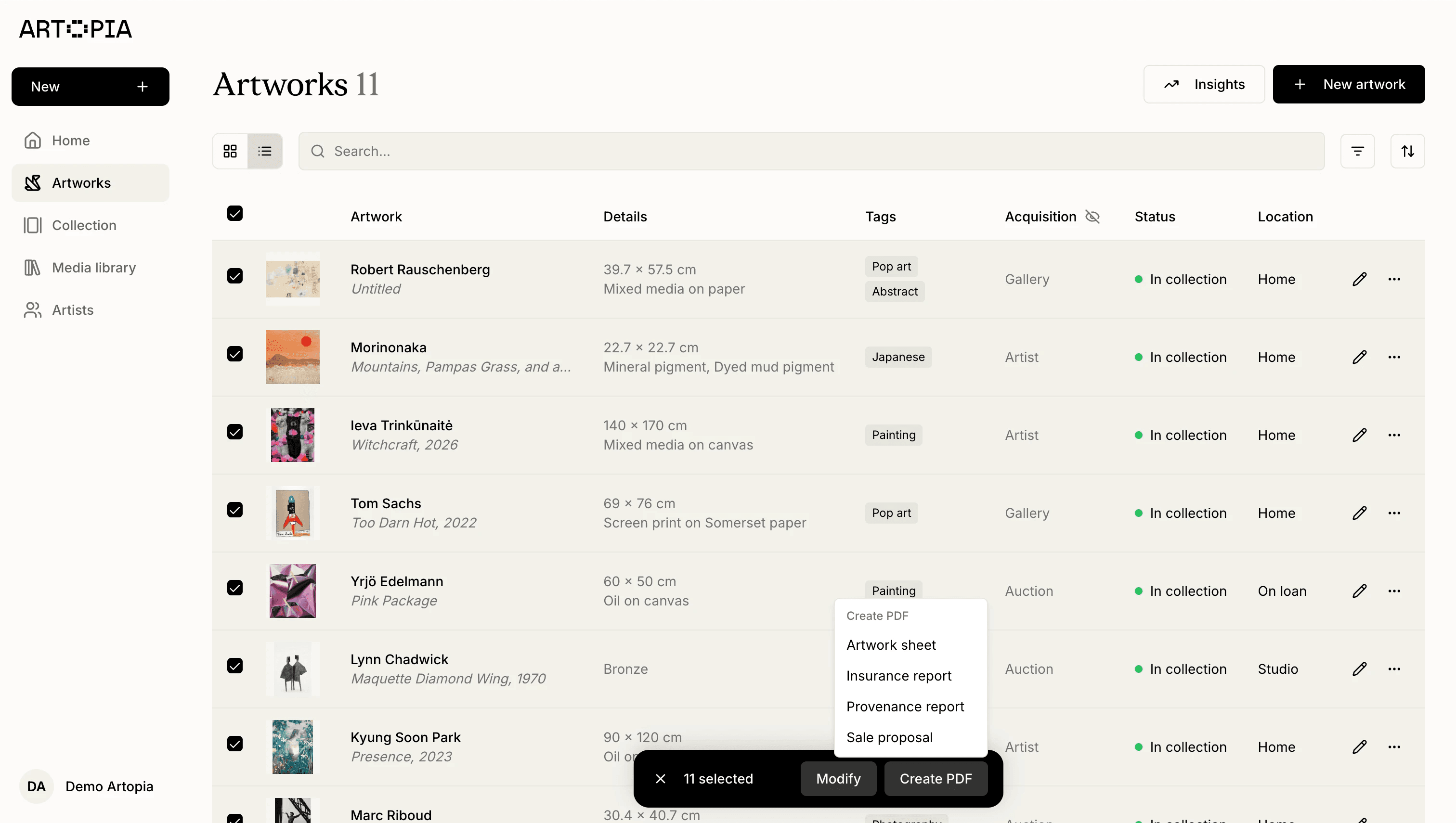
You can now generate PDFs for multiple artworks at once from the selection bar. Select any number of works, open the new Create PDF action, choose a preset (Artwork sheet, Insurance, and others), and configure fields and image size in the settings dialog. You can export as separate PDFs per artwork or combine them into a single document.
The export pipeline is faster, and the dialog auto-skips the settings step when only one artwork is selected. The selection bar's "Actions" menu has also been renamed to Modify for clarity.
Frequently asked questions
Does Artopia show collection statistics and totals?
Yes. The Insights panel on the Artworks page shows total artwork and artist counts, purchase value with multi-currency conversion, a top artists list, an acquisitions breakdown by year and type, and a document coverage summary. The panel updates to match whatever filters are active.
Can I export multiple artwork PDFs at once in Artopia?
Yes. The bulk PDF export lets you select multiple artworks and generate either separate PDFs per artwork or a single combined document. You can choose a preset and configure which fields and image sizes to include.
What is next
These updates reflect how collectors actually work: understanding their collection as a whole, not just record by record, and producing documentation efficiently when they need it. We will continue building around these workflows.
If you have feedback on any of these features, you can reach us at app@art-opia.com.
Artopia is art collection management software for private collectors. It helps you catalog artworks, manage documents, track provenance and acquisition records, and share your collection publicly. All in one place. Start for free.
Published